Sep 20, 2026
•
10 min read


Key Takeaways
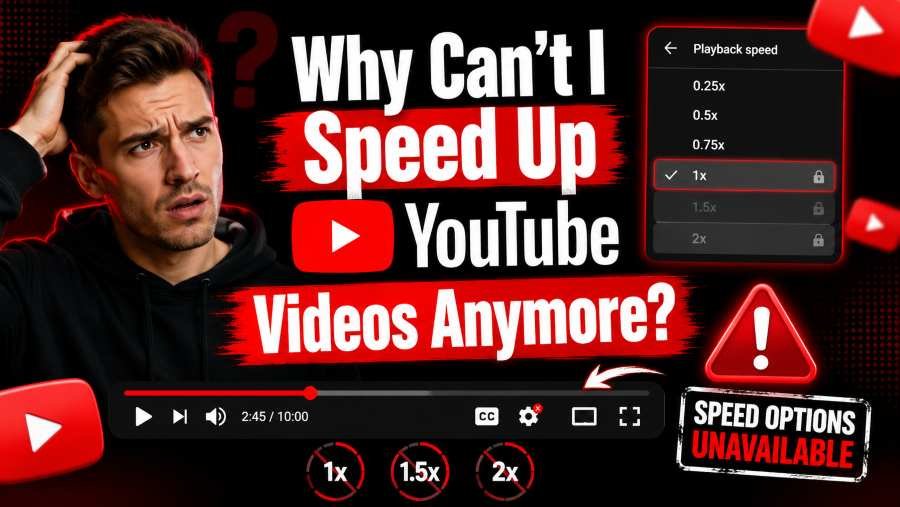
If your speed controls vanished, froze, or reset to 1x, the cause falls into one of five categories. Most guides skip the technical explanation and jump to "clear your cache." Here is what is actually happening.
YouTube's player interface runs on a React layer. The actual video playback runs on the HTML5 <video> element. When YouTube pushes a player update, the React state (what the gear menu displays) can desync from the HTML5 playbackRate property (what the video actually plays at).
What this looks like. You select 1.5x. The menu shows 1.5x. The video still plays at 1x. This is not a cache issue. It is a state propagation failure.
In August 2025, YouTube acknowledged a platform-side bug affecting Android versions 20.28.39 and 20.29.39. The speed panel let users tap presets but did not save the selection. The fix required a force stop and relaunch — a hard state reload.
Desktop users experience the same desync, but YouTube rarely acknowledges it publicly. The fix is identical. Force a hard state reload.
YouTube aggressively updates its anti-adblock detection scripts. When filter lists (like those in uBlock Origin or Brave Shields) block these scripts, the blocking rules can accidentally intersect with player control scripts.
What this looks like. Speed controls work fine in Incognito mode but break in your normal browser. Or, you pay for YouTube Premium but still cannot change speed.
The mechanism is specific. Ad blockers inject CSS hiding rules and JavaScript redirections into the page. When YouTube updates its player bundle, the filter list may target a script name or DOM selector that the speed controls also depend on. The result is that the speed menu either disappears or becomes unresponsive.
Wikihow explicitly lists "temporarily disable your adblocker" as a fix, and Reddit users consistently report this resolves the issue.
In 2025–2026, YouTube ran A/B tests restricting playback speed changes to Premium users on select accounts. This is not a bug. It is an intentional feature gate.
How to test. Log out of YouTube and open the same video in an Incognito window. If the speed controls appear while logged out but vanish when logged in, your account is in the restricted group.
Reddit users confirmed this is account-based, not device-based. Switching accounts on the same device produced different results.
YouTube's player scripts are version-locked. An outdated browser or YouTube app may load an older player bundle that conflicts with current backend APIs.
What to check. Chrome should be on version 147 or later. The YouTube Android app should be updated via the Play Store. Version 20.28.39 was specifically flagged in the August 2025 bug.
Video enhancement extensions can conflict with YouTube's native speed logic. GitHub issue #1324 documents a case where the Video Speed Controller extension forced videos to start at a "preferred speed" instead of 1x, overriding user intent.
Key Takeaway. Most desktop fixes work by forcing a hard state reload or bypassing the React UI layer entirely. Start with the refresh method, then escalate to console commands if the menu is frozen.
If the UI shows your selected speed but the video ignores it, the player failed to push the state update.
This forces a hard state reload, bypassing the React-to-HTML5 desync.
If the gear menu is frozen or missing, bypass the UI entirely.
1.Press F12 (or Ctrl + Shift + J / Cmd + Option + J) to open Developer Tools.
2.Click the Console tab.
3.Paste this command and press Enter.
"document.querySelector('video').playbackRate = 1.5;"
4.Change 1.5 to any target. 0.5, 1.25, 1.75, 2.0, 3.0.
This writes directly to the HTML5 <video> element, bypassing YouTube's React UI layer entirely.
Even Premium subscribers can be affected by background ad-blockers or content filters.
The speed state is set while the player scripts are unobstructed. The ad blocker does not retroactively reset the playbackRate property once it is established.
Fix 4 — Native Keyboard Shortcuts That Bypass the Menu
You can avoid the mouse-driven interface entirely by using YouTube's built-in keyboard shortcuts:
These are native YouTube keyboard shortcuts and work even when the Settings gear menu is unresponsive.
Priority suspects. uBlock Origin, AdBlock Plus, Video Speed Controller, Tampermonkey scripts, VPN extensions.
Key Takeaway. A missing speed button is usually a JavaScript execution failure or a content restriction, not a removed feature. Test in Incognito and check if the video is an ad or live stream.
This is usually a JavaScript execution failure, not a missing feature. The player bundle failed to load or execute properly.
Immediate fix. Hard refresh the page (Ctrl + F5 or Cmd + Shift + R). This bypasses the cache and forces a fresh player bundle download.
Not all videos support speed controls. YouTube intentionally disables speed changes for:
Test. Open the same video directly on youtube.com/watch?v=... instead of the embedded version.
If your GPU does not properly interact with the browser's rendering engine, player UI elements can fail to render.
Steps to disable (Chrome).
Key Takeaway. Mobile fixes rely on clearing the active app cache layer or bypassing the menu with native gestures. The force-stop technique is the most reliable when the selector reverts to 1x.
A widespread bug causes the mobile speed selector to revert to 1x immediately after closing the menu.
This clears the active app cache layer and applies the configuration shift that the UI failed to commit.
If the menu panel is unresponsive, bypass it.
This is a native YouTube mobile feature that does not depend on the settings menu.
If the YouTube app on iOS fails to hold speed settings:
Key Takeaway. Yes, and the mechanism is specific. Ad-blocker filter lists can accidentally target player control scripts because they share DOM selectors with anti-adblock scripts.
YouTube's anti-adblock scripts and player control scripts share DOM selectors and script bundle names. When filter list maintainers block a script to stop ads, the rule can inadvertently block a function that the speed controls depend on.
The specific symptom. Speed controls work on some videos but not others, or they work for a few hours then break again. This happens because YouTube rolls out player updates gradually (canary deployments). Your filter list blocks the new script name before the list maintainers whitelist it.
The playbackRate property is set while the player scripts are fully loaded. The ad blocker does not reset already-established video properties.
Key Takeaway. YouTube ran A/B tests in 2025–2026 restricting speed controls to Premium subscribers. Test in an Incognito window while logged out to confirm if your account is restricted.
YouTube ran A/B tests in 2025–2026 restricting playback speed changes to Premium subscribers on select accounts.
Test.
Alternative test. Switch to a different Google account on the same device. If the other account has speed controls, the restriction is account-level.
If YouTube has paywalled speed controls on your account, your options are:
Key Takeaway. Platform-wide bugs are patched within 24–48 hours. Local configuration problems require immediate action. Know the difference.
If YouTube's native controls are permanently broken for your setup, these extensions work independently:
Note. These extensions can conflict with YouTube's native controls. Disable them if you want to restore native functionality.
Author
Lucas Reinhardt is a Digital Creator & YouTube Growth Specialist from the Netherlands
As Youtube Toolkit’s lead content writer, he transforms complex technical topics into engaging and helpful guides. His goal is to empower creators, coders, and marketers through clear and actionable content.
With 20+ years of experience in the digital ecosystem, Lucas specializes in bridging the gap between sophisticated technical architecture and practical end-user application. Whether it's deep-diving into YouTube SEO or exploring new SaaS integrations, his writing is designed to deliver immediate value.

Use our free tools to analyze, optimize, and maximize your YouTube channel's potential