
Oct 15, 2026
•
15 min read

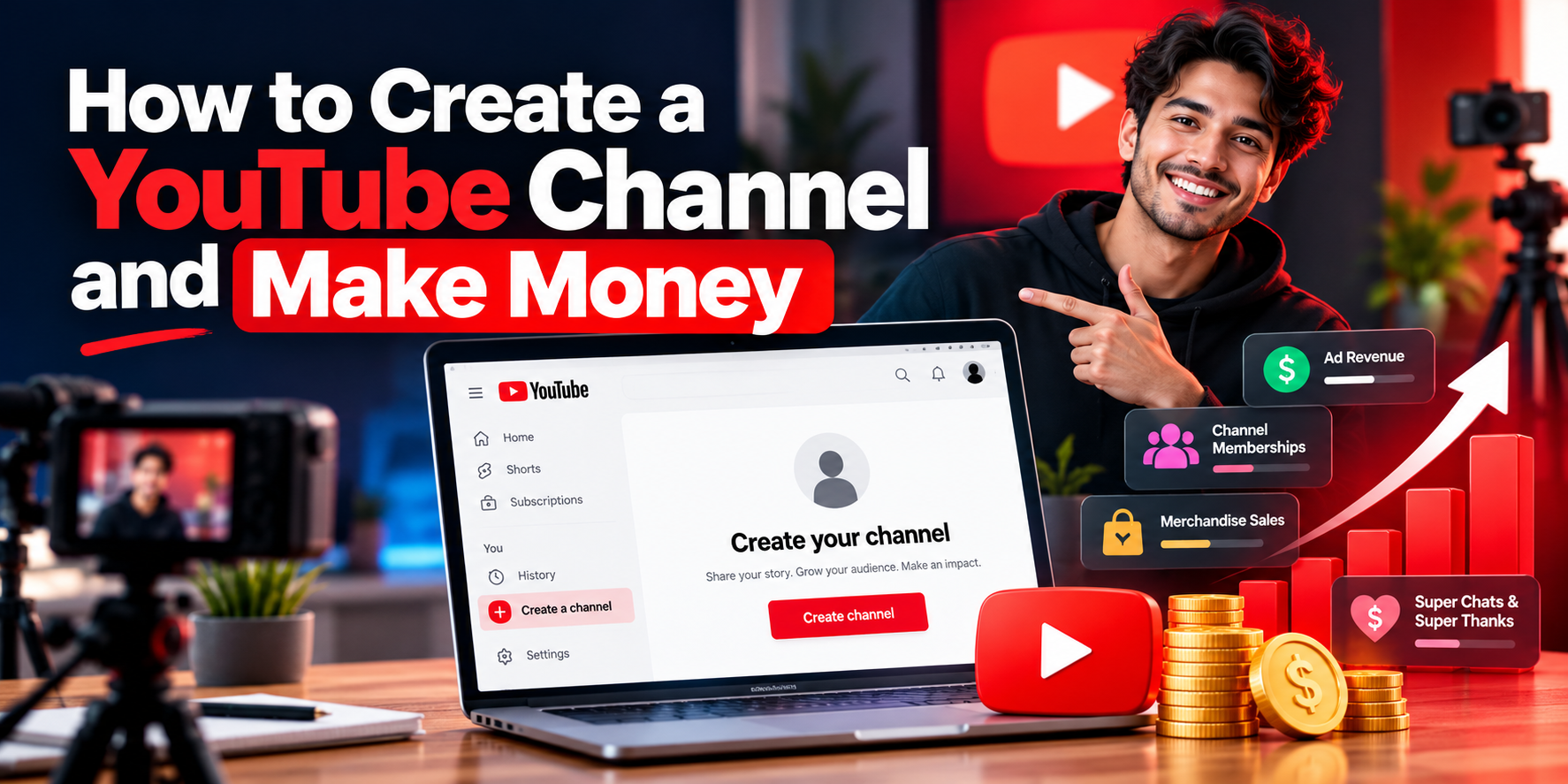
To set up a YouTube channel and make money, sign in with a Google account, create your channel, pick a topic you can consistently make useful videos about, and publish your first video. From there, you can start to build an audience and then look at ways to make income via affiliate links, sponsorships, products and/or YouTube's own monetization options.
Start a YouTube channel for free. Getting paid via YouTube is a separate issue. To earn ad revenue, you need to be in the YouTube Partner Program (YPP), have the relevant monetization terms, and be in compliance with YouTube's policies. You generally have to be 18 to manage your own AdSense for YouTube payments. However, YouTube will allow an eligible adult legal guardian to manage AdSense for YouTube payments on behalf of a minor.
There's also an important change coming. From 1st February 2027, new applicants seeking full YouTube advertising and Premium revenue sharing will be subject to higher watch hour/Shorts view requirements. YouTube has confirmed that existing YPP channels will not be dropped from the program as a result of the new entry thresholds.
That's the sort of thing that's going to be critical when you're thinking about what you actually publish, how you measure progress, and how quickly monetization might be a thing.
This guide covers the actual channel setup, what you should publish first, how the various income streams work, what real creator earnings data can and can't tell you, and how to work out your next monetization milestone.
You need a Google Account to use YouTube, but logging in doesn't necessarily give you a public channel to upload to.
YouTube has personal channels and channels that are part of Brand Accounts. Both can upload videos and can, in time, go on to monetize.
On a computer or YouTube’s mobile website:
Go to YouTube and sign in with your Google Account.
Click on your profile picture and go to Settings.
Under Account, select Add or manage channel(s).
Choose Create a channel.
Add a profile picture, channel name, and handle.
Click Create channel.
These are the steps in YouTube's official channel creation guide.
Your channel name is what the viewer sees. Your handle is your unique identifier (e.g., @BudgetPhonePhotos) that people can use to find you or mention you.
After you've created the channel, go to its public page and check that your name and username are displayed correctly.
If the channel creation option isn't there, then check that you're on a supervised account. YouTube will restrict certain creation and upload features for supervised accounts.
A personal channel is usually sufficient if you're the one creating the content.
A Brand Account is worth looking at if you want a separate public identity from your personal Google Account or if you want multiple people to be able to manage the channel.
You can create one from the YouTube channel list (using the option to create a new channel).
You don't need a Brand Account just because you want to make money down the line.
Once your channel is live, open YouTube Studio and head to Customization.
Focus first on the details that a new visitor needs to understand your content.
A good channel name should be identifiable, easy to remember, and appropriate for the subject matter. It doesn't need to contain every possible search term.
Imagine you're starting a channel about taking better photos with your affordable smartphone.
Example channel name: Budget Phone Photos
Example description:
Learn how to take better photos and edit them using the phone you already have. Practical camera tips, free editing tutorials, and easy-to-follow demos for the complete beginner.
That description tells the viewer what they'll learn and who it's for.
Add a recognizable profile picture and a banner that fits with the theme of the channel. You can obviously improve the design as your channel matures; you don't need to spend a lot on branding to get off the ground.
In YouTube Studio, review your channel settings and set the correct designation for content made for children. That has an impact on certain features and must reflect the actual audience and content.
Enable 2-Step Verification on your Google Account as you'll need it when you apply to YPP.
YouTube also requires access to the more advanced features to apply for YPP. If your account requires further verification, then Studio will let you know what the options are.
For now, your objective is a correctly configured channel, not a perfect-looking one.
It's so tempting to go out and look for the most lucrative YouTube niches and just pick whatever's at the top of the list.
Advertising rates on their own are a very poor guide as to what you should be making. You need a topic where you can actually produce useful content and where the viewer has a reason to come back.
Consider three practical questions.
Who are you actually helping? A channel on photography is very broad. A channel aimed at beginners, focused on taking better photos with an inexpensive phone, has a much more defined audience and a much more specific problem to solve.
Can you make a few useful videos? Before you do, pick a few questions that you can actually answer with your own knowledge, skills, or research.
Could the audience eventually support an income stream? It would depend on the subject I was writing about. Possibilities could be ads, relevant affiliate links, sponsorships, services, or indeed products of my own.
For the photography example, free editing tutorials and low-cost equipment demos would make sense as a package. That in itself doesn't create an income opportunity but does give the channel a clear direction.
If you're looking at possibilities, then YouTubeToolkit's YouTube Channel Ideas Generator can help you generate some channel ideas based on a topic, your level of experience, and your preferred format.
Treat the generated ideas as suggestions. A topic is only worth taking on if you can actually deliver the content you're promising.
You don't need a fancy content calendar at all before you start publishing.
Start with three related problems that the same audience might be experiencing.
Video idea | What it solves |
How to take clearer indoor photos with a budget phone | Poor lighting, focus, and camera stability |
Three phone-camera mistakes beginners make | Common errors that affect photo quality |
How to edit phone photos using free software | Improving images without paying for an editor |
This gives you a clear channel direction and provides a means of learning from your very first uploads.
Don't go for an idea just because it looks like it could be a viral video. A topic that you can actually talk about and build upon is a much better place to start.
The correct format will depend on what you're teaching.
Shorts are good for quick demos, quick tips, and really clear visual results. Long-form video is where you can go into more detail with tutorials, explanations, comparisons, and full walkthroughs.
You can use both; they contribute to the YouTube monetization requirements in different ways.
Watch hours from Shorts in the Shorts Feed are not counted towards the long-form YPP watch hour requirement. Shorts have their own qualifying view route.
That difference will be important when you start on the eligibility tracking.
Your first video doesn't need professional gear; it just needs to deliver on what it promises.
For the photography channel,, you could take a baly lit photo, show how lighting and camera position affect the image, then compare the results.
A useful structure is simple:
Show the problem → explain the solution → show the result.
Record where the viewer can hear you clearly and see what you're demonstrating. Get rid of all the unnecessary pauses and distractions during the editing process.
You don't need to extend your video to get more watch time artificially. The extra minutes should contain something informative or demonstrative that is actually worth watching.
When the video is ready:
Open YouTube Studio.
Click Create → Upload videos.
Select your video file.
Add a descriptive title and then explain the content of the video in the description.
Upload an appropriate thumbnail if the feature is available.
Complete the requisite audience, rights, and other declarations.
Review the YouTube checks and select your visibility setting.
Select Public and then finish publishing when you're ready.
The full procedure is available in the YouTube upload guide.
In our example, How to Take Clear Indoor Photos With a Budget Phone focuses on communicating a specific benefit.
A thumbnail with a real before-and-after would help the viewer get an idea of the outcome. It would need to be an accurate representation of the clip.
After publishing, open the video in a private browser window to confirm that it's publicly accessible and plays correctly.
If your upload isn't showing up, then check the video status under Content in YouTube Studio. It could still be private, unlisted, scheduled, or it may just be processing.
You now have a public channel with a video. The next decision is how that channel might make money.
There's not one single way to make money on YouTube.
Some opportunities you can set up yourself through an agreement. Others are ones that YouTube only makes available to you once your channel has met certain program requirements.
Understanding the difference is key to avoiding a very common error: treating advertising eligibility as the sole way to earn, or assuming that because a platform allows you to earn in a certain way, you will, in fact, earn it.
Income method | When it becomes possible | Main condition or payment limitation |
Independent affiliate marketing | When you qualify for a relevant affiliate program and can make useful recommendations | Commissions depend on actual eligible purchases; payment timing varies by program |
Sponsorships | When a business agrees to pay for promotion | No universal subscriber minimum; rates, deliverables, and payment dates depend on the agreement |
Your own products or services | When you have an offering and a way to accept customers | You must deliver genuine value; sales are not guaranteed |
YouTube fan funding | After the applicable YPP approval and feature eligibility | Memberships, Super Thanks, and Super Chat have additional age, location, and policy conditions |
YouTube Shopping | When the relevant Shopping feature is available to your channel | Promoting your own products and tagging other brands’ products have different requirements |
YouTube advertising and Premium | After full YPP eligibility, approval, and acceptance of relevant modules | Earnings depend on qualifying monetized activity, not subscriber count alone |
Shorts Creator Pool | For eligible YPP creators who satisfy Shorts monetization conditions | Revenue is distributed through a pool, with additional performance requirements starting in 2027 |
This compares YouTube's monetization features and YPP thresholds.
For a small photography channel, affiliate links could be fairly natural (if viewers are interested in low-cost accessories). Having the go-ahead to put an affiliate link in doesn't necessarily mean that the channel has the level of audience trust or the level of purchase activity actually to be generating any significant commissions, though.
Similarly, a business could run a dedicated channel without a minimum number of subscribers, which doesn't mean every small channel will have a sponsor.
Pick an income stream that actually suits the audience rather than trying to sell any old product in every video.
This matters because the requirements and payment process are different.
A creator could potentially be part of an independent affiliate program outside of YouTube's own Shopping affiliate program. That program would have its own rules on eligibility, commission, disclosure, and payment.
YouTube's Shopping affiliate program (which allows eligible creators to tag products from partner brands directly in their content) is a separate feature.
As per YouTube's official Shopping affiliate requirements, you must be in YPP, meet the relevant subscriber requirements, be in a supported location, and meet any other channel restrictions.
The program is not available in every YPP country.
YouTube also states that Shopping affiliate commissions are typically paid out via AdSense 60-120 days after the purchase (to allow for returns and cancellations). A refunded order will result in the commission being reversed.
That means a qualifying sale today doesn't necessarily result in an immediate payment.
For independent affiliate programs, you'll need to check the individual merchant's rules as applicable. Don't just assume that the YouTube Shopping payout timeline applies to all affiliate programs.
If your videos contain any paid promotions or sponsorships, then you must comply with YouTube's disclosure requirements and any relevant legal obligations.
To get the YouTube ad revenue share, you have to be in the YouTube Partner Program and meet the relevant requirements.
There are two key eligibility levels: an early access tier for eligible countries and the full tier, which enables advertising and YouTube Premium revenue sharing.
The figures below are YouTube's published rules (checked 28th October 2026).
Eligibility tier | Subscribers | Qualified long-form watch hours | OR qualified Shorts views |
Expanded YPP, where available | 500 | 3,000 in the last 12 months | 3 million in 90 days |
Full YPP entry before February 1, 2027 | 1,000 | 4,000 in the last 12 months | 10 million in 90 days |
Full YPP entry for new applicants from February 1, 2027 | 1,000 | 8,000 in 365 days | 20 million in 90 days |
The expanded 500 subscriber tier also requires 3 valid public uploads in the previous 90 days.
You need the subscriber requirement plus one of the qualifying viewing routes (not both the long-form and Shorts thresholds).
Sources: YouTube Partner Program overview, expanded YPP eligibility, and YouTube’s announced 2027 changes.
Not automatically.
In countries where expanded YPP is available, meeting the lower criteria will allow you to apply for access to the relevant fan funding and Shopping features.
It doesn't unlock the YouTube ad revenue share.
You'll still have to meet the other program requirements, apply, and pass YouTube's review.
Regional availability also matters.
Bangladesh is on YouTube's standard YPP list, but it's not on the list in the official documentation we checked for this guide on the 500-subscriber program.
If you're living in that market, then don't go around building an income plan on the early tier features without first checking that those features are actually available to your channel.
The best place to check your account's actual position is YouTube Studio → Earn.
YouTube has announced higher entry requirements for new applicants seeking full advertising and Premium revenue sharing:
1,000 subscribers and 8,000 qualified long-form watch hours in 365 days; or
1,000 subscribers and 20m qualified Shorts views in 90 days.
YouTube says that creators who are already in the YPP won't lose their YPP status as a result of the new entry thresholds.
However, the official documentation doesn't quite settle on all the transition cases (a creator who has joined via the early access tier, for example, and who hasn't yet unlocked full ad revenue sharing).
A separate report from AIR Media-Tech talks of a cutoff on applications submitted before the deadline (via their partner support team). That detail has not been independently verified in the YouTube Help content, so it should not be regarded as an official guarantee.
If your application timing is important, then you should rely on the eligibility and instructions as shown in Studio and the most recent official announcements.
From 1st February 2027, creators will need to have 10m qualified Shorts views over the previous 90 days to be eligible to earn from the Shorts Creator Pool for that month.
This is a continuing Shorts earnings condition rather than the same as the new 20m view full entry threshold.
Failing the 10m view threshold doesn't automatically get you removed from YPP or stop you from earning via other eligible monetization streams.
YouTube's Shorts monetization policy sets out how qualified views are counted for that purpose.
Existing YPP creators should also review and accept their applicable updated monetization terms by January 31, 2027, to avoid interruption of affected earnings features.
YouTube’s watch-hour requirements use a rolling 12-month or 365-day period. Shorts requirements use a rolling 90-day period.
That means old activity eventually falls outside the eligibility window.
Not every view or hour displayed in general analytics qualifies. Shorts Feed watch hours do not contribute to the long-form watch-hour target, and private, unlisted, deleted, or advertising-campaign activity can be excluded under YouTube’s eligibility rules.
Use the Earn tab’s qualifying figures when checking your real progress.
There’s no universal long-form view count that guarantees monetization.
The qualifying watch time a view generates depends on how long someone watches.
A practical estimate uses average view duration (AVD):
Watch hours = qualifying views × average view duration in minutes ÷ 60
Suppose your channel receives 5,000 qualifying long-form views per month, and each view contributes an average of three minutes.
Your estimated watch time is:
5,000 × 3 ÷ 60 = 250 hours per month
At a consistent pace over twelve months:
250 × 12 = 3,000 watch hours
That’s enough for the watch-hour component of expanded YPP, where available. It doesn’t meet the current full-entry target of 4,000 hours or the future 8,000-hour requirement.
The table below uses three hypothetical average view durations to calculate the minimum average qualifying views per month across a full twelve-month window.
Watch-hour target | 1.5-minute AVD | 3-minute AVD | 6-minute AVD |
3,000 hours | 10,000 | 5,000 | 2,500 |
4,000 hours | 13,334 | 6,667 | 3,334 |
8,000 hours | 26,667 | 13,334 | 6,667 |
Calculation: target watch hours × 60 ÷ 12 ÷ average view duration. Values are rounded upward to whole monthly views. All views are assumed to contribute qualifying public watch time.
At a three-minute AVD, the new full-entry requirement takes approximately 13,334 qualifying views per month sustained over twelve months.
The current 4,000-hour target takes approximately 6,667 views per month under the same assumptions.
The watch-time requirement doubles, so the estimated view requirement also doubles when average viewing duration stays the same.
But the reverse comparison matters too.
If the same 5,000 monthly views average six minutes rather than three, they produce 6,000 annual watch hours instead of 3,000.
This is not evidence that doubling video length will double viewing duration. It shows why actual viewer behavior matters more than a generic total-views target.
Consider our hypothetical budget-phone photography channel.
After twelve months, it has:
500 subscribers
Three public uploads within the most recent 90 days
5,000 qualifying long-form views per month
Three minutes of average view duration
Approximately 3,000 qualifying annual watch hours
The channel meets the numerical early-tier watch-hour requirement.
In a supported country, it could apply for expanded YPP if it meets the other conditions.
But it still needs additional subscribers and qualifying watch time to reach full advertising eligibility. In a country without expanded YPP, the early-tier route may not be available at all.
Now suppose its average viewing duration is only 1.5 minutes.
At the same view count, annual watch hours fall to 1,500. The channel no longer meets even the early-tier watch-hour component.
That is why a useful progress plan should measure both qualifying views and average viewing duration.
You can model different view, video-length, and retention assumptions using YouTubeToolkit’s YouTube Watch Time Calculator.
Its current tracker focuses on the 4,000-hour milestone, so it should not be treated as a complete calculator for the new 2027 full-entry rules.
For actual eligibility, rely on YouTube Studio’s qualified activity totals.
YouTube doesn’t pay a fixed amount for a subscriber or a video view.
Even channels with similar audience sizes can generate very different revenue because monetized views, advertiser demand, content format, audience location, and enabled revenue features vary.
Instead of relying on a generic claim that a particular niche earns a certain amount per thousand views, it’s more useful to understand what YouTube’s revenue metrics measure.
YouTube defines these metrics in its revenue analytics documentation.
Metric | What it measures | Why it matters |
CPM | Advertiser spending per 1,000 ad impressions, before YouTube’s revenue share | It is not the amount the creator receives |
Playback-based CPM | Advertiser spending per 1,000 video playbacks with one or more ads | Different from total views and individual ad impressions |
RPM | Creator revenue per 1,000 relevant views after YouTube’s revenue share | More useful for understanding actual channel revenue |
Monetized-view share | Proportion of views associated with advertising activity | Helps explain why total views don’t translate directly into ad revenue |
YouTube’s RPM can include several revenue sources, such as advertising, Premium, channel memberships, and certain fan-funding features.
It generally does not include earnings from independent sponsorships, outside affiliate programs, or separately sold services.
Here’s the practical difference.
Imagine a video receives 10,000 views. Some viewers see ads, others don’t. A view might produce no ad impression, while another monetized playback might include several ads.
Advertiser CPM reflects advertising spending on the relevant impressions. Creator RPM reflects the creator’s revenue across the appropriate view denominator after YouTube’s share.
You cannot take an advertised CPM figure and multiply it by all your video views to calculate take-home income.
AIR Media-Tech published an analysis on October 1, 2026, using YouTube Studio data from 300 monetized channels that it works with.
Its reported dataset covers May 2025 through May 2026, representing 3,595 monetized channel-months across 13 niches.
Three findings are especially useful:
Finding in AIR’s sample | What it means |
Median long-form RPM: $2.30 per 1,000 views | A measured reference point within these channels, not a promised rate for beginners |
Median channel showed an ad on 53% of views | Total views and views involving ads are not interchangeable |
Top 10% of channels earned 58% of sample ad revenue | Earnings were highly concentrated among a relatively small share of channels |
Source: AIR Media-Tech, State of YouTube Monetization 2026: Statistics From 300 Channels.
Those findings come from channel analytics rather than an unsourced earnings calculator.
But the study has an important limitation.
The 300 channels were existing monetized channels working with AIR, with subscriber counts ranging from approximately 10,000 to 50 million. They were not a representative sample of brand-new YouTube channels or everyone attempting to become a creator.
AIR also sells creator services, which is relevant when assessing its commercial perspective.
Its $2.30 median should therefore be understood as an observation about that dataset, not a typical beginner income figure or a guaranteed starting RPM.
The concentration result is equally important. Within AIR’s sample, the highest-earning channels accounted for a disproportionate share of advertising revenue.
A beginner should not assume that the earnings of established creators describe the likely result of starting a channel today.
To make the RPM figure concrete, suppose an already-monetized channel has 600,000 relevant long-form views and earns an effective RPM of $2.30.
The calculation is:
600,000 ÷ 1,000 × $2.30 = $1,380
That is a hypothetical result using AIR’s reported sample median as an input.
It is not a forecast for a channel with 600,000 views, and it isn’t an estimate of how much a beginner would earn while building toward YPP.
A channel not yet approved for YouTube advertising revenue sharing would not receive that share for pre-approval viewing activity.
The distinction between the view count, RPM, and actual eligibility is essential.
Your niche can influence advertiser demand, but it doesn’t determine a fixed RPM.
AIR’s dataset illustrates why the usual lists of supposedly highest-paying niches need careful treatment.
For example, it reported:
Niche | Median RPM in AIR’s dataset |
Education & Science | $10.22 |
Gadgets & Tech | $2.33 |
Gaming | $2.05 |
Business & Finance | $2.01 |
These are observed medians from the relevant groups, not guaranteed category rates.
The Business & Finance figure was based on only three channels, making it particularly unsuitable as a general claim about finance creators.
AIR also reported a $5.73 Studio CPM for Gadgets & Tech, while only 34% of views in that category’s sample showed an ad and the reported RPM was $2.33.
That illustrates why a comparatively strong advertising CPM doesn’t necessarily translate into equally strong creator revenue per total view.
There isn’t enough evidence here to conclude that all high finance-RPM estimates are simply CPM figures presented incorrectly. Different datasets, channel mixes, revenue definitions, and time periods may also explain disagreements.
A better way to choose your niche: Start with the audience you can serve well. Treat monetization potential as one consideration, not as a promise attached to a category name.
Advertisers may pay substantially different amounts for audiences in different countries.
AIR referenced a separate June 2025 CPM analysis of more than 3,000 channels in which US audiences had a reported CPM of $14.67, compared with $0.74 for India and $0.53 for Bangladesh.
These were advertiser CPM measurements—not creator RPMs—and came from a different dataset.
They should not be used to predict earnings for an Indian or Bangladeshi channel. A channel’s audience geography is not necessarily the same as the creator’s country of residence.
The comparison shows that where viewers are located can materially affect advertising economics.
This is another reason two channels receiving the same number of views may report different earnings.
Shorts and long-form videos have different monetization mechanics.
For long-form Watch Page advertising, eligible creators share in revenue from ads associated with their content.
For Shorts, advertising revenue from ads between videos in the Shorts Feed contributes to a shared creator pool. YouTube then allocates revenue according to its Shorts monetization rules.
Under the Shorts revenue-sharing policy, eligible creators receive 45% of the revenue allocated to them from the Creator Pool after the relevant calculations.
That does not mean creators receive 45% of every advertiser payment associated with an individual Short.
AIR Media-Tech’s 2026 research separately examined Shorts RPM data from 274 channels.
It reported that Shorts RPM was about 3–14% of long-form RPM in almost every niche.
Across the categories it analyzed, Shorts RPM ranged from approximately $0.02 to $1.48 per 1,000 views.
These are findings from AIR’s selected sample, not a universal Shorts payment schedule.
The comparison does not mean every Short earns within that range. It also doesn’t establish how many views a newly monetized Shorts channel will attract.
For someone choosing a content strategy, the useful distinction is that Shorts can serve a quick, discovery-oriented format. Still, large Shorts view counts do not automatically produce long-form-sized advertising revenue.
There is an additional consideration for creators starting now: beginning February 1, 2027, monthly Shorts Creator Pool earnings will depend on maintaining the new qualifying-view minimum explained earlier.
A Shorts-focused plan therefore needs to consider both the scale of eligible views and the way Shorts revenue is actually distributed.
Yes. YouTube does not automatically reject a channel simply because its creator doesn’t appear on camera or uses AI tools.
The more important questions are whether the content is original, authentic, sufficiently valuable, and compliant with YouTube’s monetization policies.
For example, a screen-recorded software tutorial can explain a real workflow without showing a person’s face. AI-assisted editing can also be part of producing original content.
But some common production approaches carry substantial risk.
YouTube’s channel monetization policies address mass-produced and repetitive content, insufficiently transformed reused material, and other practices that fail its originality requirements.
Its published policies also explicitly address AI-generated personas presenting themselves as human experts on sensitive topics, including health, legal matters, finances, and politics. Channels using such personas to deliver that kind of advice are not eligible to monetize under the stated policy.
This is more specific than saying that all AI-generated content is banned.
Before publishing a video you hope to monetize, review these questions:
What original value does the video provide? Is there a genuine explanation, demonstration, analysis, story, or creative contribution?
Is the content meaningfully different from previous uploads? Repeating the same generic template with minor changes can create inauthentic-content risk.
If third-party material is used, what have you added? Simple reuploads or minimally modified compilations may fail reused-content requirements, even where a separate copyright question is unresolved.
Are any realistic AI representations misleading? Consider YouTube’s applicable synthetic-content disclosures and restrictions, especially around sensitive subjects.
Do you have the necessary rights to footage, audio, and images? Monetization approval and copyright permission are separate issues.
This checklist is an editorial interpretation of YouTube’s published policies. Completing it cannot predict YouTube’s review decision.
The strongest approach is to create content where the viewer can clearly identify the useful contribution, regardless of whether the creator appears on camera.
Once your channel meets the relevant numerical thresholds, you can apply through YouTube Studio when the application becomes available.
Before applying, verify that:
Your channel is based in a country where the relevant YPP tier is available.
Your Google Account has 2-Step Verification enabled.
You have access to YouTube’s required advanced features.
Your channel has no active Community Guidelines strikes.
Your content follows YouTube’s monetization policies.
You have, or can set up, an eligible AdSense for YouTube account through Studio.
Then:
Open YouTube Studio.
Select Earn.
Click Apply Now when available.
Review and accept the relevant YPP terms.
Create or link your AdSense for YouTube account using Studio’s instructions.
Check the application review status.
YouTube says completed applications typically receive a review decision in about one month, although reviews can take longer.
Reaching the required subscriber and viewing numbers does not guarantee acceptance.
YouTube reviews the channel for compliance with its policies and may continue reviewing monetized channels after acceptance.
If the application is rejected, use the reason and guidance provided by YouTube to determine whether an appeal or a later reapplication is appropriate.
Many beginner guides end when the creator qualifies for monetization. But approval and actual payment are different milestones.
YouTube earnings pass through AdSense for YouTube, where you may need to provide tax information, verify your identity and address, select an available payment method, and reach the applicable payment threshold.
A channel can be monetized and generate revenue without having a payable balance yet.
The payment threshold depends on your AdSense for YouTube reporting currency.
According to YouTube’s official payment thresholds, a US-dollar account has a $100 payment threshold.
Other currencies have their own thresholds.
For example, suppose an approved creator using a USD reporting account earns $65 in finalized eligible revenue and has no other payable balance.
That amount is below the $100 payment threshold. It would generally remain in the account and carry forward until the applicable threshold and other payment requirements are satisfied.
Reaching $100 alone doesn’t guarantee immediate receipt: account holds, payment details, verification, and the payment processing schedule can still matter.
Yes.
YouTube states that all monetizing creators must submit US tax information, including creators who do not live in the United States.
The purpose is to establish the applicable tax treatment of their YouTube earnings. Google may withhold tax under the relevant rules, and missing information can lead to higher withholding.
The official US tax-information guide for YouTube creators explains how to submit or update the relevant forms through AdSense for YouTube.
Tax outcomes depend on your country, account type, circumstances, and any applicable treaty provisions.
Do not assume that another creator’s withholding rate applies to you. You may also have tax obligations in your home country.
For specific tax-form choices or treaty claims, consult an appropriately qualified tax professional. This guide is not individualized tax advice.
The timeline depends on how you earn the income.
Income source | When payment becomes possible |
YouTube advertising and Premium | After earning eligible revenue, completing payment requirements, and reaching the account’s payment threshold |
YouTube fan funding | Through the applicable YPP earnings and payment process, subject to adjustments and thresholds |
YouTube Shopping affiliate commissions | Generally 60–120 days after a qualifying purchase, subject to returns and settlement |
Independent affiliate programs | According to the individual affiliate program’s payout terms |
Sponsorships | According to the agreed contract and invoice or payment schedule |
Your own products or services | According to the payment provider, transaction terms, and refund or settlement conditions |
This is why making your first sale, earning your first advertising dollar, reaching the payment threshold, and receiving money in your bank account are not the same event.
A realistic plan should account for all of them.
You don’t need to solve every aspect of monetization before publishing your first video.
You do need to choose a sensible next milestone.
If you don’t have a channel, create it, give viewers a clear reason to follow, and publish one useful video.
If you’ve started publishing but have no consistent topic, build a small group of related videos for the same audience. Study their actual viewing behavior rather than assuming that more uploads will automatically produce growth.
If you’re already gaining subscribers and qualifying viewing activity, open YouTube Studio → Earn. Check which program is available in your country and measure your progress against the relevant rolling window.
If you’re monetized, use your actual RPM, monetized activity, revenue sources, and payment information instead of relying on broad earnings calculators.
The key is to treat monetization as a sequence of distinct outcomes:
Create a channel → publish useful content → earn audience trust → qualify for relevant earning opportunities → meet payment requirements.
YouTube gives you the publishing platform. Your content gives viewers a reason to watch. Monetization becomes meaningful when those two things support a genuine audience and a sustainable business decision.
YouTube Content & Creator Growth Specialist
Emily Bennett writes about YouTube content creation, channel growth, monetization, and digital creator tools at YouTube Toolkit. She focuses on delivering practical tutorials, research-backed insights, and actionable strategies to help creators optimize their videos, reach wider audiences, increase engagement, and build successful YouTube channels.
Use our free tools to analyze, optimize, and maximize your YouTube channel's potential